Deal
Deal
Step-by-step instructions
Check for an existing listing first
Sign in and open My Listings. If the sale already exists, edit it instead of publishing a duplicate with different hours. Keep one reliable source of details so shared links remain useful. If your event changes, update that listing and the places where you promoted it.
Write a specific, honest title
Name a few representative goods and the general area. 'Saturday garage sale: tools, books and kitchenware' gives shoppers a reason to look. Avoid claims such as 'everything must go' unless you mean them. Do not put a phone number, private access code or another person's address into the title.
Enter the actual date and hours
Choose the correct date, opening time and closing time. Review the result as a shopper, especially when editing a draft on another day. Describe multiple-day hours clearly, within the event duration the listing form supports. Keep time wording consistent with signs and posts. Do not assume shoppers know your local conventions.
Describe merchandise and practical details
Begin with the most useful categories, then describe notable items accurately. Include condition, measurements and prices when helpful. Explain payment methods, parking considerations and pickup needs without inviting unsafe access. Use general location or the application's address-visibility controls appropriately; check the public preview before sharing.
Choose photographs that answer questions
Use a clear overview and several focused images of representative goods. Show labels or model details when useful, but avoid personal documents, people who have not agreed to appear and location clues you intended to hide. Do not use stock pictures that imply you own goods you are not selling. Photograph defects honestly.
Publish, inspect and share
Review spelling, dates, times, location visibility and image order before submitting. Open the public share link and inspect it on a phone. The advertisement tool can load public details from that link and prepare captions; you decide where to post them. After changes or cancellations, update both the listing and external posts. At the end, use My Listings to close the sale.
1. Details: explain what shoppers will find
Open List Your Sale. In Details, choose relevant categories and fill in Sale title and Description. The form accepts 1–15 categories; choose those that actually describe your goods.
Garage sale: furniture, books and garden tools
Lead with useful items rather than repeated capitals or 'best sale ever'. The optional Featured item and Featured price fields highlight one item. Use an amount, Free, OBO or Negotiable for the price; put extra explanation in the description.
Write a description people can act on
Household garage sale with a small dining table, paperback books, kitchenware and garden hand tools. The table measures 120 × 75 cm and has surface scratches. Sale: [date], [start time]–[end time], at [sale location]. Payment: [methods you accept]. Please bring suitable transport for larger items. [Access or parking details]. Check this listing before travelling if rain is forecast.
State notable items, condition and collection needs. Accepted payment methods and weather information belong in the description; they are not separate fields in the current form. Do not publish financial details or access codes.
2. Location: check the address and map
Continue to Location. Enter the street address, city and relevant state or postal code. Use Look up address or Use current location, then confirm it is the sale site rather than wherever you are preparing the listing.
Review the exact-address privacy option carefully. Hiding the exact address and map pin limits what shoppers can see. Make sure your description does not reveal information you intended to hide.
3. Date & time: match your opening hours
Choose the start and end date and time in Date & time. Check your device's local time and compare the result with your signs and posts. New listings require a future start, an end after the start and a maximum duration of 48 hours.
For more than one day, spell out each day's open hours in the description. Review any early-access option before enabling it, because it affects when eligible shoppers may expect access.
Prepare clear photographs
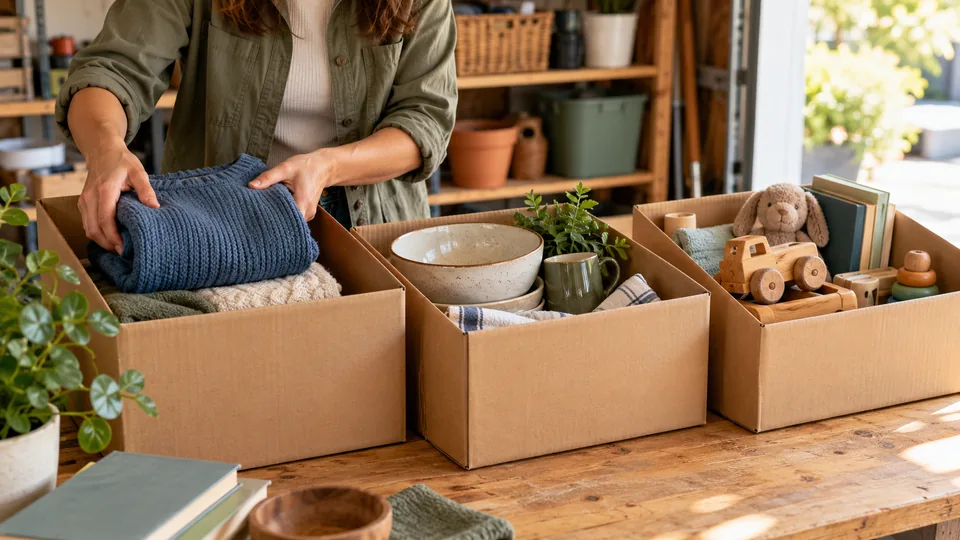
Take sharp pictures of the actual goods in good light against an uncluttered background. Include an overview and close-ups of notable pieces, labels and damage. Keep people, documents, keys and private details out of frame.
The current web listing wizard does not include a photo-upload field. Keep your photos ready for social promotion; do not paste image code into the description. If your sale already has photos, make sure they still represent the items on offer.
4. Review and publish
Select Review sale. Check the title, description, categories, address privacy and times as if you were a visitor. Use Back to correct errors, then choose Publish sale. The current app allows one active listing per account.
Open the published listing and check it again. Use your listing's management or edit controls when plans change.
- Title identifies the main items.
- Date, hours and location agree everywhere.
- Condition and collection information are honest.
- Payment and weather notes are clear.
- No sensitive details are included.
Review the published version like a first-time visitor
After saving, open the public share link in a separate browser view and check the details a shopper actually receives. Confirm the calendar date, local hours, location description, main photo and any address-privacy choice. Do not assume a successful save means every old social preview has refreshed; other platforms can cache preview images and text. Share the stable listing link so readers have a place to verify current information. If a featured item sells, update its availability or the description where appropriate. If the event is rescheduled, edit the existing listing and then revise the external captions you control. Keep a simple list of those destinations so a change does not leave contradictory opening times online.
A real-world example
Weak: 'Huge sale!!! Come now.' Better: 'Saturday, 8 a.m.–noon: garage sale in Northwood. Books, garden tools, children's clothing and a wooden desk. Desk dimensions and condition shown in photos. Please arrive during published hours.' Replace every example detail with your own.
Common mistakes
- Creating duplicate listings to correct a time.
- Sharing a link before checking the public preview.
- Using another seller's photographs without permission.
Practical checklist
Frequently asked questions
Do I need an account to list?
Use DealDrive's existing sign-in and Post Sale flow. Reading guides and using guest planning tools do not require sign-in.
Can the tools publish to social media for me?
The tools prepare captions and shareable images. Copying, downloading or opening a share dialog is not confirmation of publication.
What if the public page shows an old detail?
Save the listing edit, refresh the public page and check again before re-sharing. Third-party previews can retain older images or text.
Should I publish my exact address in every post?
Choose deliberately. Use general location when appropriate and check the listing's privacy settings; copied captions should not reveal more than you intended.