Deal
Deal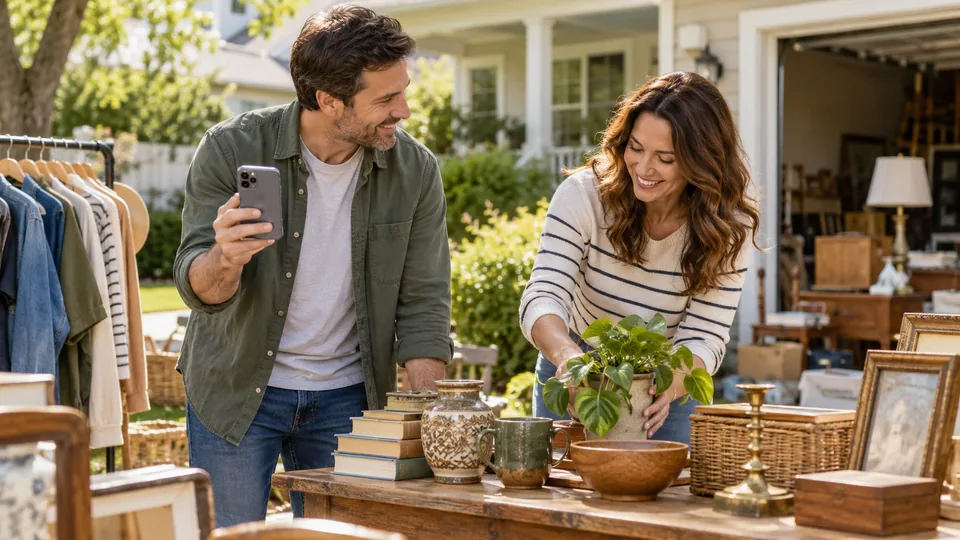
Step-by-step instructions
Start with a useful listing
Advertising cannot compensate for missing hours or unclear merchandise. Build one accurate listing with date, time, general area, representative goods and photographs. Keep its share link as the reference for all promotion. People should be able to decide whether to visit without sending you basic questions.
Choose a small number of relevant channels
Consider local community groups, neighborhood newsletters, permitted notice boards and your own social accounts. Check each group's rules before posting promotional material. A small local audience can be more useful than a large audience far away. Do not repost repeatedly or send unsolicited bulk messages.
Adapt the caption to the destination
A Facebook community post can explain categories and practical details. Instagram benefits from a clear image and a caption that tells viewers where to find the listing link; links in ordinary captions may not be clickable. X requires tighter copy; the tool warns when its draft is long, and the platform's composer remains the final length check. Never omit the date just to fit a slogan.
Show merchandise, not just boxes
Choose a small number of clear photographs representing what is actually available. A neat table of labelled kitchenware communicates more than a dark garage full of bags. Include recognizable furniture or tools when they are part of the sale, and show material defects. Avoid other people's images and identify illustrative examples as examples.
Schedule useful reminders
Publish once your details are stable, then make a relevant reminder close to the event where allowed. Correct time or weather changes promptly. Avoid announcing a sale so early that all the details change, or so late that neighbors cannot plan. Ask participating households to share the same accurate link.
Learn which promotion helped
Ask shoppers voluntarily how they heard about the sale and tally broad channels without collecting names. Compare those tallies with listing views or link clicks when available. Clicks do not prove attendance or purchases. Record what you actually measured and leave unknowns unknown. Use the results worksheet to choose next time's effort.
Start with an accurate listing link
Publish your DealDrive listing and check it before sharing. Use the listing's sharing controls to copy its public link or send it through a supported destination. Device sharing options depend on the browser and installed apps.
Include the date, hours, area and notable goods in the message itself. Sharing a link does not necessarily attach a photograph; add a suitable photo manually if the destination supports it.
Choose neighbourhood channels respectfully
Look for relevant community groups, neighbourhood newsletters and noticeboards whose rules allow sale promotion. Ask an administrator if unsure. Follow limits on frequency instead of duplicating your post widely.
For a joint sale, agree a shared message and get permission before mentioning another household's address. Ask friends or neighbours to share when it is relevant to their audience.
Copy and personalise your announcement
Garage sale in [neighbourhood] on [date], [start time]–[end time]! Browse [three notable item types]. [Brief access or collection note]. See details and check for updates: [DealDrive listing link].
Replace every bracketed placeholder. Use current photos and avoid promising an item that has already sold.
This [day]: our garage sale in [neighbourhood] runs [start time]–[end time]. We have [highlights]. Please check the listing before travelling for any weather updates: [DealDrive listing link].
One timely reminder can help where group rules allow it. Update the original post if the sale is postponed.
Make directional signs readable
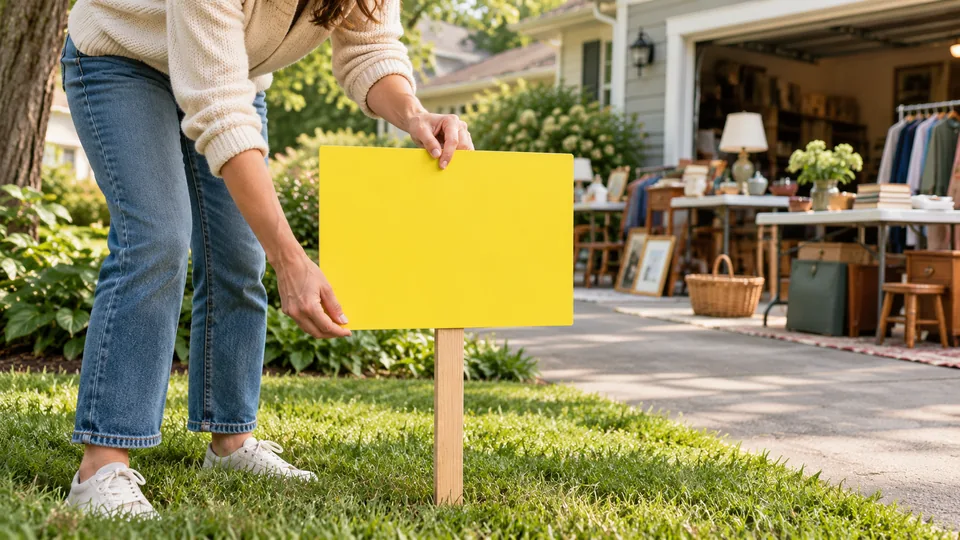
Use a short headline such as GARAGE SALE, the date, opening hours and a clear arrow. Use large lettering with strong contrast. Keep arrows consistent and place signs only where permitted, without obscuring traffic signs, sightlines or pedestrian access.
Check local sign rules and obtain required permission. Avoid paragraphs that cannot be read at a glance. A QR code can supplement details at a safe stopping point, but should not be the only way to understand the sign.
Finish promotion responsibly
- Check that the shared listing link opens correctly.
- Use consistent dates and hours everywhere.
- Keep photos and availability accurate.
- Plan a reminder only where permitted.
- Remove signs and update posts after the sale.
Compare an unhelpful advertisement with a useful one
An ineffective draft says: 'Huge sale! Everything must go! Come early!' It leaves readers guessing about the date, hours, location and merchandise. A useful fictional version says: 'Saturday, October 24, 8 a.m.–noon: household garage sale in the Riverside neighborhood. Books, children's clothing sorted by size, hand tools and a wooden side table. See the DealDrive listing for current details, photographs and permitted location information.' Replace every example detail with your own verified information. Only claim quantities or condition you can support, and avoid publishing an exact address outside your intended privacy choice. The useful version gives a shopper enough information to decide whether the trip fits their needs; it does not need exaggerated language.
Promote a last-minute sale without creating confusion
When preparation time is short, concentrate on a small number of channels you can update reliably. Publish a complete listing, choose representative photographs and share the link in relevant local groups where event posts are permitted. Read group rules before posting, including limits on frequency or commercial content. Ask participating households to share the same schedule rather than composing conflicting versions. Do not spend the remaining preparation time producing many decorative posts while merchandise is unpriced. If the event is too close to advertise honestly or staff safely, postponement may be more practical. After the sale, close the listing and remove outdated promotional messages where possible so visitors do not arrive the following weekend expecting another event.
A real-world example
Facebook draft: 'Garage sale this Saturday, 9–1, near Maple Park. Garden tools, puzzles, books and kitchenware. Photos and current details: [your DealDrive link]. Please check the listing for weather updates.' An Instagram version can use a square goods photo with date and general area, plus a caption directing viewers to a usable profile or story link.
Common mistakes
- Posting in groups that prohibit promotion.
- Leaving cancelled-event posts unchanged.
- Claiming fake scarcity or using photographs of unavailable goods.
Practical checklist
Frequently asked questions
Where can I advertise for free?
Your own social accounts, groups that permit sale posts and eligible community notice boards are possible options. Check current rules and availability.
Is paid promotion necessary?
No. Start with useful local listings and permitted sharing. If you pay, choose a fixed budget and measure meaningful outcomes.
How do I advertise a last-minute sale?
Use channels your local audience already reads, lead with the actual date and hours, and keep expectations realistic.
Should I delete a post when an item sells?
Update featured merchandise if it materially changes the advertised sale. Close or clearly update the entire post when the event ends.